By Daniel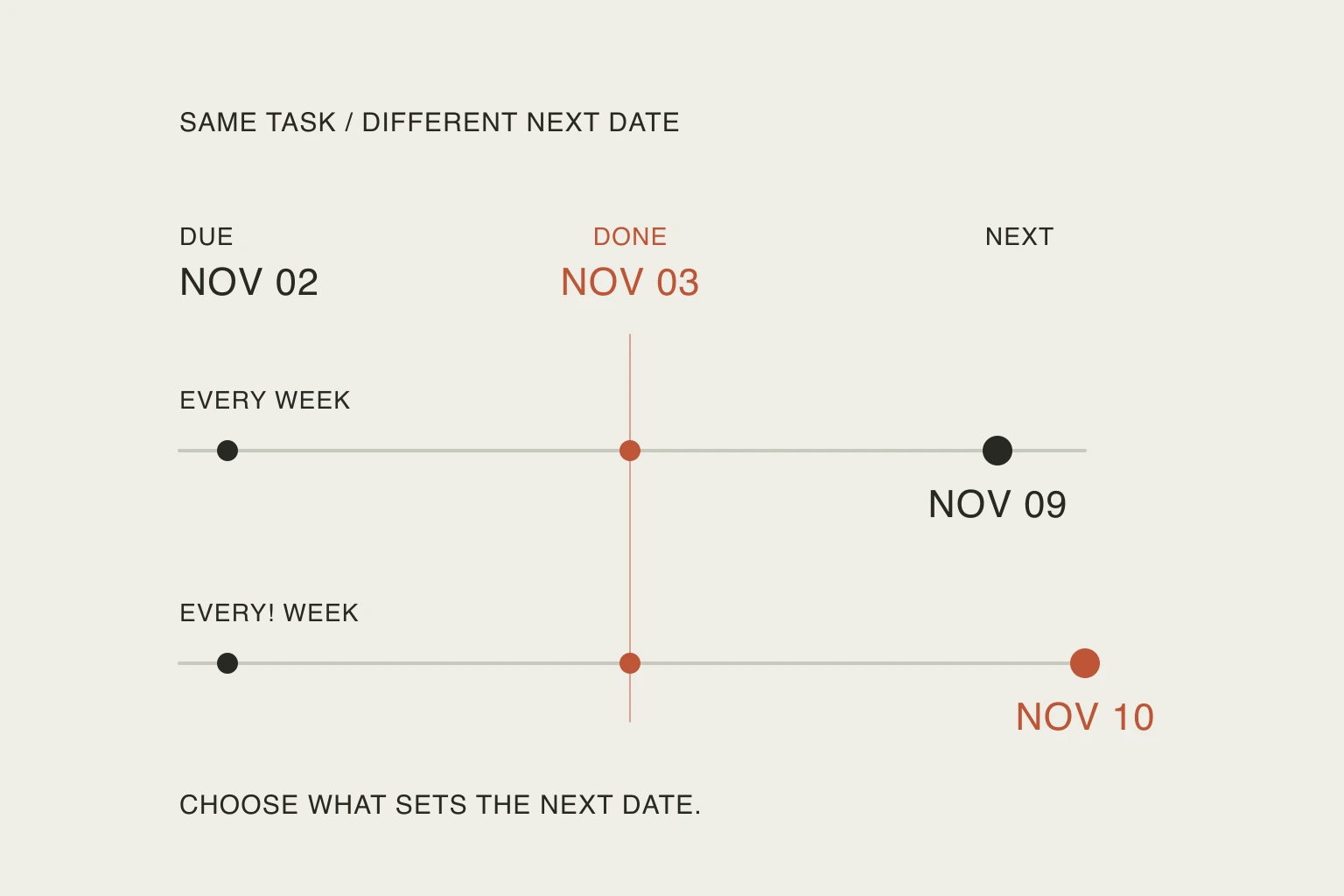
In this article
Todoist supports that distinction, but the checkmark also advances the task. If you use it merely to clear something overdue, you may leave yourself with a cleaner list and the wrong next action.
This guide uses current official documentation checked on October 24, 2026. The help pages show an October 23 update date; that is not evidence of a new feature launch. Our dates below are a worked example, not results from testing a Todoist account.
Ask what the repeat is supposed to protect
Start with an ordinary sentence before choosing syntax:
- “Keep this on the same weekly rhythm.”
- “Leave a full interval after I actually finish.”
- “Keep the unfinished work visible until I make a decision.”
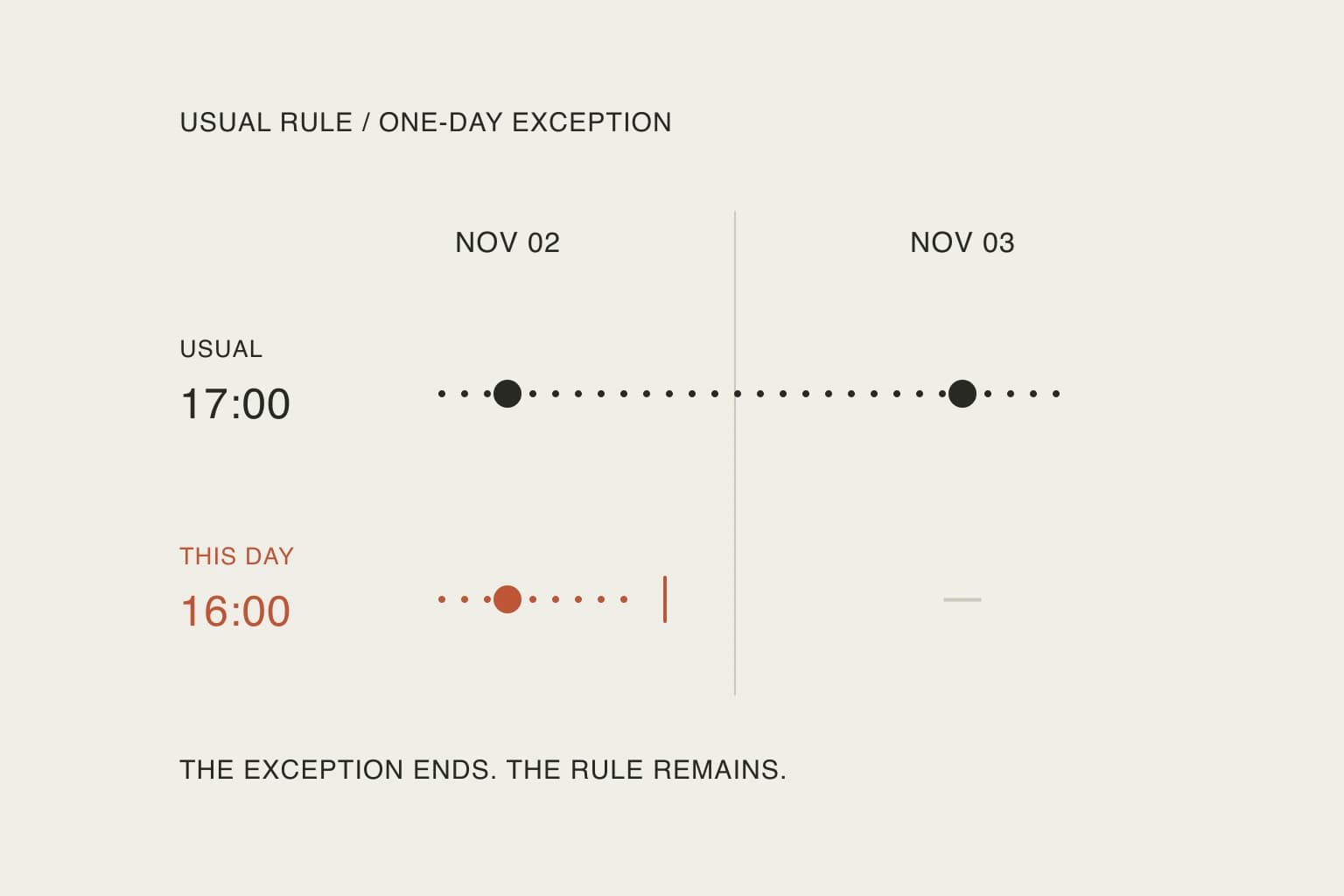
The first two describe schedules. The third describes an unresolved task; it does not necessarily require a different repeat rule.
For an illustrative weekly task due Monday, November 2, 2026, suppose you complete it on Tuesday, November 3 without manually rescheduling it. Todoist’s current recurring-date guide distinguishes these outcomes:
Scroll sideways to compare →
| Rule | Basis | Expected next date |
|---|---|---|
every week | Scheduled date | Monday, November 9 |
every! week | Completion date | Tuesday, November 10 |
This table applies the documented rule to the same invented input. It is not a cross-platform benchmark. It deliberately excludes manual rescheduling, whose behavior depends on the recurrence type; do not extend this example into a universal repair formula.
The practical difference is what you want to preserve. Does the activity belong to the week’s shape, or does doing it reset a waiting period? If the answer is unclear, a clever recurrence expression will not resolve it. You still need to decide what the task represents.
A late checkmark is still a checkmark
The completion guide says completing an overdue daily repeat moves it to tomorrow, rather than creating another occurrence today. A recurring task also remains in its project after completion, now carrying its next date.
This can make two different situations look alike: work that was done late, and work that was never done but is being cleared away. Treat them differently.
If you actually finished, record the result and inspect the new date. If you have not finished, decide whether the work still needs doing. Moving or revising an unfinished commitment is a planning decision; completing it is a claim about the work. Our guide to what a completion mark should mean explores that distinction beyond recurring tasks.
For an ordinary household checklist, ask yourself what you would need to know tomorrow morning. “The list has no overdue items” is less informative than “the cleaning is still unfinished.” The second statement gives you a real next decision. A repeat rule should help carry that meaning forward.
Why Undo deserves a quick check
A user moving to Todoist raised this exact friction in an October discussion:
That seems unnecessarily convoluted. Is there an easier way to undo Im not aware of?
— u/Guava_Devourer in r/todoist. The post describes an accidental completion and one marked complete before the work was finished. It is an individual report, not a measure of how often the problem occurs.
The current official Undo instructions give the important limit: a brief Undo popup restores the prior recurring date; once that option disappears, the completion cannot be reverted. The same guide now describes visible completed occurrences, but those are historical records, not tasks you can reopen.
That means “put work back on my list” and “erase the mistaken historical completion” are different jobs. A new pending task may recover the work you still need to do, but it should not be described as repairing the old record. If the historical record matters, check the provider’s current support guidance instead of assuming that adjusting a date rewrites it.
A useful habit is to look at the task immediately after an unfamiliar recurring checkmark. You are verifying the next commitment while the normal Undo control is still available. This is a suggested practice, not a claim that every error can be prevented or recovered.
Change one occurrence without casually rewriting the pattern
The date guide distinguishes editing the recurrence text from selecting a date for the next occurrence. Typing a new date into the task name can replace the recurrence entirely. When you make a one-off change, inspect the recurrence afterward rather than relying on the task title.
Use three separate questions:
- What date should the next unfinished action have?
- What rule should continue after that action?
- Is there a completed record that I am mistakenly treating as editable work?
For example, if you cannot do a weekly review this Monday, your intention might be “do this one later, then return to the usual rhythm.” It might instead be “make the later day my new regular day.” Those are different edits even though both begin by moving the next task.
Write the intention in plain language, then verify the date and rule displayed by the app. Avoid experimenting on a long-running task whose history you value. A disposable task gives you room to understand the controls without creating a cleanup problem in your actual routine.
Run a small check before trusting a whole routine
If you want to evaluate the behavior yourself, create two clearly labelled test tasks with identical starting dates. Give them the two weekly rules above. Before completing either, write down your expected result.
Then record the actual completion date, the next date shown, whether the recurring marker remains, and whether you needed a correction. Keep an accidental click separate from a misunderstood rule: the first is an interaction problem, the second is a mismatch between your intention and the schedule.
We have not measured clicks, speed or reliability here. The value of the exercise is the comparison between what you expected and what was saved. If they differ, stop before copying the pattern across a dozen household routines.
The same principle applies when capturing tasks by voice: a fluent phrase is not the finished setup. Inspect the saved meaning. And a repeat date still does not tell you how much time the work needs; reserve space separately when planning calendar blocks.
Keep the rule only if it expresses a commitment you understand. A task that repeats predictably and remains easy to correct is more useful than an elaborate pattern you have to decode each morning.
Useful resources
- Todoist’s current recurring-date reference — compare scheduled-date and completion-based repeats, then check the instructions for changing one occurrence.
- Completing recurring tasks and Undo — understand the next-date change, completed records and the limited undo window.
- The original recurring-task discussion — read the user’s recovery question in context; use official documentation for current behavior.